oldgame.cz — old & retro games online free
EN
95 Desktop
oldgame.czStrategy

UFO: Enemy Unknown

_
Download
Window:
UFO: Enemy Unknown
Esc menu

Usual keys for Strategy games (rough guide):

1
2
3
4
5
6
7
8
9
0
Tab
Q
W
E
R
T
Y
U
I
O
P
Caps
A
S
D
F
G
H
J
K
L
Enter
Shift
Z
X
C
V
B
N
M
Ctrl
Alt
space
Alt
move
L
R
Click the game to lock the cursor

Esc = in-game menu · save F2, load F3.

Emulator: DOSBox (js-dos)

Live chat — UFO: Enemy Unknown_
live chat chat about this game right now — be nice

No messages yet. Say hi!

Game info_
About the game

A full review of UFO: Enemy Unknown is on the way. Until then, take a look at the screenshots and game info — and feel free to share your own memory or tip in the comments below.

Screenshoty

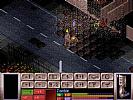
UFO: Enemy Unknown – screenshot 1 UFO: Enemy Unknown – screenshot 2 UFO: Enemy Unknown – screenshot 3
Video
UFO: Enemy Unknown – gameplay video
Guides & FAQ
Can I play UFO: Enemy Unknown online for free?
Yes — you can play UFO: Enemy Unknown right here in your browser for free, with no installation and no plugins, on both desktop and mobile.
Can I download UFO: Enemy Unknown?
Yes, UFO: Enemy Unknown is available to download here — use the Download button on this page.
What platform does UFO: Enemy Unknown run on?
UFO: Enemy Unknown is a MS-DOS / PC game from 1993.
When was UFO: Enemy Unknown released?
UFO: Enemy Unknown was released in 1993.
Who made UFO: Enemy Unknown?
UFO: Enemy Unknown was developed by MicroProse.
What genre is UFO: Enemy Unknown?
UFO: Enemy Unknown falls under: Strategy.
How do I save my progress in UFO: Enemy Unknown?
Save inside the game itself — via its own menu, or F2/F3. And if you log in (free), your position is also stored in the cloud, so you can continue on another computer or phone.
Is it legal to play UFO: Enemy Unknown online here?
You play it in your browser via an emulator. For how we handle abandonware and copyright, see our "Is it legal?" page.
How do I control UFO: Enemy Unknown?
The controls are in the Controls section on this page. The keyboard is usually all you need — arrow keys to move and Ctrl, Alt or Space for actions.
Can I play UFO: Enemy Unknown on mobile?
Yes — it runs right in your browser on phones and tablets too. Just tap Play, nothing to install.
Comments (0)

No comments yet. Be the first!

Gaming platform: MS-DOS / PC_

For two decades MS-DOS was the main gaming platform on PCs. Games launched from the command line and used sound cards like Sound Blaster or AdLib. DOS is the home of legends such as Doom, Prince of Persia and Commander Keen.

Maker: IBM PC / Microsoft  ·  Years: 1981–2000

Here on oldgame.cz you play it right in your browser via the js-dos emulator — no install, no plugins, on desktop and mobile.

Recommended controls: These games are controlled with the keyboard (see the controls table next to the game). A USB joystick/gamepad can make some titles more comfortable, but is not required.

» More about this platform on Wikipedia

Similar games_
More Strategy games_
» Random