oldgame.cz — old & retro games online free
EN
95 Desktop

Reader Rabbit

– MS-DOS
Reader Rabbit
Controls🖱 moveSpace/Enter useEnter/Space start/selectEsc menuMS-DOS

1989 · Adventure · MS-DOS / PC

Game info_□✕

About Reader Rabbit

The Learning Company. That name alone tells you everything about where this is going, and yet here I am, writing about Reader Rabbit in the same place where I cover Blood and Doom. Fair enough. Some things deserve a straight look regardless of the target audience.

Reader Rabbit – screenshot 1

Reader Rabbit is a 1989 educational title for MS-DOS aimed at kids roughly four to seven years old. The goal is simple: help a cartoon rabbit work through exercises built around letter recognition, word building, and basic spelling. There is no story to speak of, no world to explore. It is a series of structured mini-games dressed up with enough color and animation to hold a child's attention for more than thirty seconds, which in 1989 on a PC was not a trivial achievement.

The gameplay — if you want to call it that — runs through activities like sorting words, matching letters, and completing simple spelling patterns. The rabbit serves as a guide and cheerful mascot rather than a character you actually control. Controls are basic keyboard input, which meant a lot of six-year-olds were hunting and pecking at keys under the supervision of a parent or older sibling. The difficulty scales in small steps, which was genuinely thoughtful design for the era. Nothing punishes the kid. Everything rewards forward movement. It is skinner-box mechanics with the serial numbers filed off and replaced with rabbit ears.

What Reader Rabbit actually was, for a lot of children in the early nineties, was the first piece of software they ever used. Not a game. Software. There is a difference, and at the time parents understood it. You did not buy this at the game shop; you bought it at an electronics store from a shelf labeled "Educational" in a font that screamed responsible purchase. Whether it taught kids to read faster than a book would have is a question I am not qualified to answer. What it did was make the computer feel approachable to a five-year-old, which in 1989 mattered more than people remember. The PC was still a cold, intimidating machine. Reader Rabbit made it friendly. That is not nothing.

Today the game is a curiosity. If you have a child young enough to genuinely benefit from letter-matching exercises, there are better tools — free, browser-based, more polished. If you are over forty and want to remember what it felt like to sit at a beige keyboard and feel clever for the first time, this one runs fine in a browser emulator and takes about ten minutes to exhaust completely. There is a specific kind of nostalgia here that does not belong to everyone. But for the people it does belong to, it lands exactly as expected — small, earnest, and oddly intact after thirty-five years.

Controls

The main menu has four activities, the Sorter, the Labeler, the Word Train and the Matchup Games. The original keyboard version (1984 manual) uses these keys.

Arrow keysMove the hand pointer. If a keyboard has no arrow keys, the manual suggests I, J, K and M.
SpaceSelect a letter, word or picture, start a game or clear it away
EscBack to the menu at any time

The 1991 release, Reader Rabbit 1, also accepts the mouse. In it, 1 to 4 pick a game from the main menu, S turns the sound on or off and F1 opens help.

Versions and ports

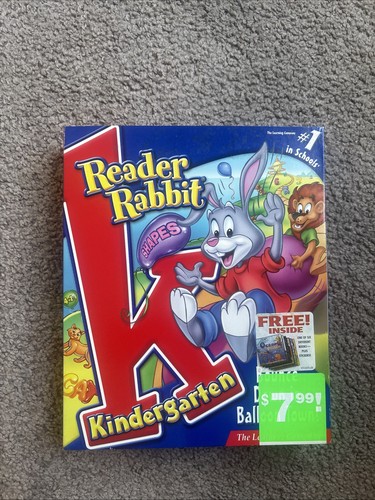
Reader Rabbit first appeared in 1984 on the Apple II, Atari 8-bit, Commodore 64 and IBM PC. The first version was titled Reader Rabbit and the Fabulous Word Factory. Reader Rabbit 1 (1991) is the enhanced DOS release with 256-colour VGA graphics, sound card support and a mouse. Reader Rabbit 1 Deluxe! (1994) added digitized speech, and Reader Rabbit's Reading 1 (1997) remade the game for Windows and Mac.

System requirements

Reader Rabbit 1 (1991) needs an IBM PC compatible with 512 KB RAM or a Tandy 1000 with 640 KB, DOS 2.0 or later, a colour monitor (CGA, EGA, Tandy, MCGA or VGA) and a 3.5 or 5.25 inch drive. A mouse and an AdLib, Sound Blaster or Roland sound card are optional. The earlier PC version ran on an 8088 with 256 KB RAM, CGA graphics and PC speaker sound.

How to run it today

It runs in your browser on this page, so you need nothing else. On your own PC you can run the DOS files in DOSBox. Reader Rabbit 1 installs with the INSTALL program on its disk and starts with the command RR1.

Where to buy it legally

The DOS game is not sold digitally. Steam and GOG list no Reader Rabbit title, and PCGamingWiki shows only retail copies. Used original disks are the only legal way to own it.

Videos and guides

Reader Rabbit FAQ

Can I play Reader Rabbit online for free?
Yes — you can play Reader Rabbit right here in your browser for free, with no installation and no plugins, on both desktop and mobile.
Can I download Reader Rabbit?
Yes, Reader Rabbit is available to download here — use the Download button on this page.
What platform does Reader Rabbit run on?
Reader Rabbit is a MS-DOS / PC game from 1989.
When was Reader Rabbit released?
Reader Rabbit was released in 1989.
What genre is Reader Rabbit?
Reader Rabbit falls under: Adventure.
How do I save my progress in Reader Rabbit?
Save inside the game itself — via its own menu, or F2/F3. And if you log in (free), your position is also stored in the cloud, so you can continue on another computer or phone.
Is it legal to play Reader Rabbit online here?
You play it in your browser via an emulator. For how we handle abandonware and copyright, see our "Is it legal?" page.
How do I control Reader Rabbit?
The controls are in the Controls section on this page. The keyboard is usually all you need — arrow keys to move and Ctrl, Alt or Space for actions.
Can I play Reader Rabbit on mobile?
Yes — it runs right in your browser on phones and tablets too. Just tap Play, nothing to install.

Comments on Reader Rabbit

(0)

No comments yet. Be the first!

Gaming platform – MS-DOS / PC_□✕
About the platform 1981–2000

For two decades MS-DOS was the main gaming platform on PCs. Games launched from the command line and used sound cards like Sound Blaster or AdLib. DOS is the home of legends such as Doom, Prince of Persia and Commander Keen.

Maker IBM PC / Microsoft  ·  Years 1981–2000

Here on oldgame.cz you play it right in your browser via the js-dos emulator — no install, no plugins, on desktop and mobile.

Recommended controls
These games are controlled with the keyboard (see the controls table next to the game). A USB joystick/gamepad can make some titles more comfortable, but is not required.

» More about this platform on Wikipedia

Games similar to Reader Rabbit

_□✕

More Adventure games

_□✕
» Random
🚪 Classic site