When you open QTest, it leaves you breathless for a moment. It's not a graphical treat — a simple window, a few buttons, and then you just watch as the computer asks itself questions and tries to answer them. This DOS program from 1996 is a fascinating anomaly: it's not a game in the classical sense, more of an educational tool or a joke for computer lab visitors.

QTest is a self-configuring quiz. The computer generates questions with multiple choice answers and simultaneously attempts to solve them — essentially demonstrating logic or automated selection. It's basically diverse learning: who is this, what is that, which category does it belong to. The content revolves around general knowledge and somewhat random facts. The mechanics are simple — it's not about your reaction time or skill, rather whether your brain can compete with the program getting the right answer, or at least you have a chance to see how long it takes before it figures itself out.
Playability is debatable. QTest isn't a game you'd play for an hour straight. It's more about a moment of observation and then immediate loss of interest. Control is nearly non-existent — you click once and watch. No graphics, no sounds, no rush. It's the purest form of "concept demonstration" that DOS could ever produce. What makes it interesting isn't fun, but curiosity — what percentage of questions the computer can handle before confusing itself.

QTest represents an era when the boundaries between game, utility, and educational software were thoroughly blurred. You shouldn't expect data, because there's no room for data — it's just a procedure. It's aged in the sense that today we want interactivity and visuals, but as a curiosity from the early 90s, this little piece doesn't lose its strange charm.

Who will like it? More likely collectors of retro oddities and programmers curious about what software looked like before the 3D graphics inflation. It's not a game you want to archive forever, but as a ticket to the past, it's a free window into a time when a "program" didn't have to entertain — it just had to be interesting.
 old
old


 ▶Contra1988MS-DOS / PC


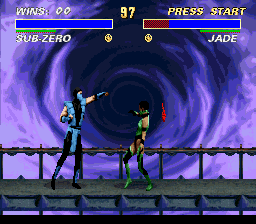 ▶Ultimate Mortal Kombat 31996Super Nintendo

 ▶Mortal Kombat II1993Super Nintendo