oldgame.cz — old & retro games online free
EN
95 Desktop

Pachisi

– MS-DOS
Pachisi
ControlsArrows moveSpace/Enter useEnter/Space start/selectEsc menuMS-DOS

1989 · Puzzle · MS-DOS / PC

Game info_□✕

About Pachisi

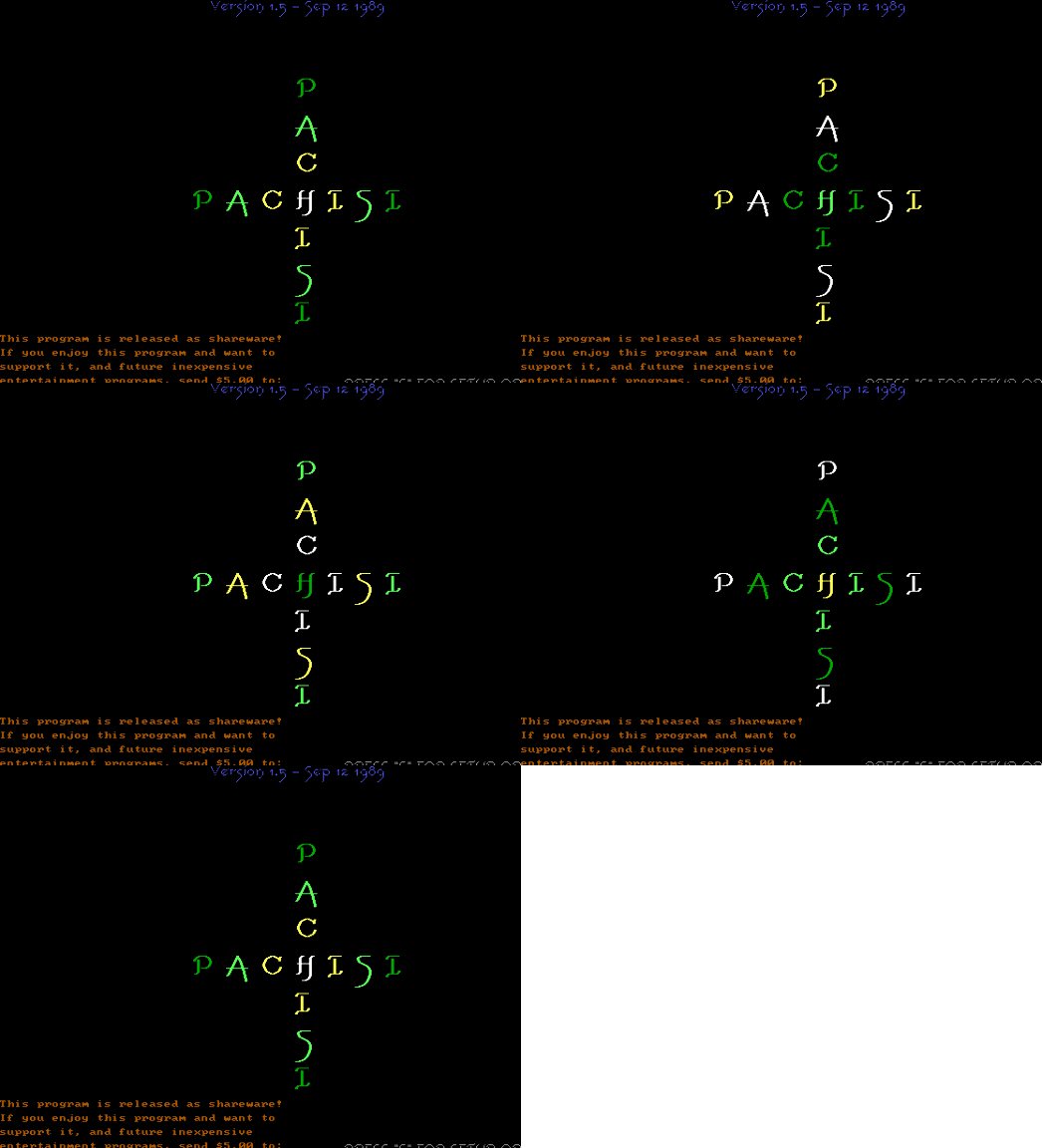
Pachisi is a board game you play on a computer screen against the computer. A dotted game board with squares, four players in the corners, a die — a classic that was already being played in India. The computer digitalized it in 1989, when an IBM-compatible computer was still a valuable possession and people didn't mind when graphics looked like a sharpened pencil on 320 × 200 resolution monitors.

Pachisi – screenshot 1

The game is simple — you roll the die, your piece moves forward by the corresponding number of squares, and you aim to get all four pieces from your home field to the center of the board. If you roll a six, you roll again. If you land on an opponent's square, their piece goes back to the start. There's nothing complicated about it, and that's precisely why it's a classic. The computer takes three pieces, you take one. Play happens in turns.

The controls are primitive — press Enter, wait for the computer to roll, your piece moves automatically. Graphics like pencil on paper. No animations, no chatter. Just numbers and squares. Sound? There isn't any. A quiet, spare affair you can play at your desk between work. The game runs smoothly, without unnecessary drama. Success depends mainly on luck and time — how long it takes before you beat all three computer opponents.

Pachisi from 1989 isn't a game you play for thrills. It's a digital transformation of something that's been working on paper and cardboard for thousands of years. The computer didn't improve it, just made it more accessible. In the nineties, when the internet was rare and gaming meant either single-player or modem play, Pachisi was a way to play against someone without a physical opponent. Today you play it for nostalgia, not in hope it will surprise you. You observe the graphics like an old friend you haven't seen in ages.

Who will take it today? Those who want to return to the original version of this type of game. Those who love simplicity without decoration. Pachisi in a browser or emulator is quiet, slow, and without any effects. Exactly as a classic Pachisi should be. Die, squares, and waiting. Nothing more is expected.

Pachisi FAQ

Can I play Pachisi online for free?
Yes — you can play Pachisi right here in your browser for free, with no installation and no plugins, on both desktop and mobile.
Can I download Pachisi?
Yes, Pachisi is available to download here — use the Download button on this page.
What platform does Pachisi run on?
Pachisi is a MS-DOS / PC game from 1989.
When was Pachisi released?
Pachisi was released in 1989.
What genre is Pachisi?
Pachisi falls under: Logic.
How do I save my progress in Pachisi?
Save inside the game itself — via its own menu, or F2/F3. And if you log in (free), your position is also stored in the cloud, so you can continue on another computer or phone.
Is it legal to play Pachisi online here?
You play it in your browser via an emulator. For how we handle abandonware and copyright, see our "Is it legal?" page.
How do I control Pachisi?
The controls are in the Controls section on this page. The keyboard is usually all you need — arrow keys to move and Ctrl, Alt or Space for actions.
Can I play Pachisi on mobile?
Yes — it runs right in your browser on phones and tablets too. Just tap Play, nothing to install.

Comments on Pachisi

(0)

No comments yet. Be the first!

Gaming platform – MS-DOS / PC_□✕
About the platform 1981–2000

For two decades MS-DOS was the main gaming platform on PCs. Games launched from the command line and used sound cards like Sound Blaster or AdLib. DOS is the home of legends such as Doom, Prince of Persia and Commander Keen.

Maker IBM PC / Microsoft  ·  Years 1981–2000

Here on oldgame.cz you play it right in your browser via the js-dos emulator — no install, no plugins, on desktop and mobile.

Recommended controls
These games are controlled with the keyboard (see the controls table next to the game). A USB joystick/gamepad can make some titles more comfortable, but is not required.

» More about this platform on Wikipedia

Games similar to Pachisi

_□✕

More Puzzle games

_□✕
» Random
🚪 Classic site