oldgame.cz — old & retro games online free
EN
95 Desktop

Gaminours - Shapes and Colors

– MS-DOS
Gaminours - Shapes and Colors
ControlsArrows moveCtrl/Alt fireEnter useEnter/Space start/selectEsc menuMS-DOS

1989 · Uncategorized · MS-DOS / PC

Game info_□✕

About Gaminours - Shapes and Colors

The sound I remember now isn't any melody. It's just something between bubbling and beeping—if there was anything at all. Gaminours—a name that sounds like it was made up in a rush during lunch break—is an educational game from the late eighties that practically nobody from the older generation had.

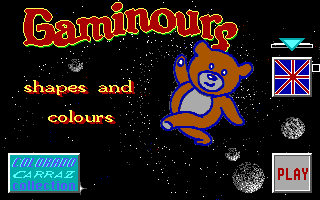
Gaminours - Shapes and Colors – screenshot 1

It's a typical DOS edutainment title aimed at kids, where you learn colors and shapes at a basic level. The game consists of examples and exercises where you have to correctly identify which color or geometric shape appears on the screen. There's no story, no motivation—just a black or dark blue background and single-color objects. Everything is built on simple interactions: you look, you recognize, you pick the right answer. As I said, nothing spectacular.

The controls are primitive in the most literal sense. Arrow keys or numbers, then either ENTER or a mouse click—if your computer even had a mouse. The graphics remind you of what it was like when a teacher brought the first computer into class in the nineties and everyone stared at the screen in silence, without much enthusiasm. Every exercise move takes forever, renders slowly, and by five minutes in you're already bored.

Gaminours belongs among those forgotten titles that exist more as a curiosity. It wasn't a groundbreaking edutainment like Reader Rabbit or Oregon Trail. It had no charm, no appeal—not even for kids back in the eighties. Over time it got swallowed up by the nameless mass of DOS software destined for schools, which nobody remembers and nobody needs to remember.

Can you play it today? Technically yes, in DOSBox or some online emulator. But why would you? It's not a game with a distinctive style or special appeal. It's just an emotionless digital workbook. Unless you're a retro game archaeologist or vaguely remember it as your lost kindergarten memory—skip it.

Gaminours - Shapes and Colors FAQ

Can I play Gaminours - Shapes and Colors online for free?
Yes — you can play Gaminours - Shapes and Colors right here in your browser for free, with no installation and no plugins, on both desktop and mobile.
Can I download Gaminours - Shapes and Colors?
Yes, Gaminours - Shapes and Colors is available to download here — use the Download button on this page.
What platform does Gaminours - Shapes and Colors run on?
Gaminours - Shapes and Colors is a MS-DOS / PC game from 1989.
When was Gaminours - Shapes and Colors released?
Gaminours - Shapes and Colors was released in 1989.
How do I save my progress in Gaminours - Shapes and Colors?
Save inside the game itself — via its own menu, or F2/F3. And if you log in (free), your position is also stored in the cloud, so you can continue on another computer or phone.
Is it legal to play Gaminours - Shapes and Colors online here?
You play it in your browser via an emulator. For how we handle abandonware and copyright, see our "Is it legal?" page.
How do I control Gaminours - Shapes and Colors?
The controls are in the Controls section on this page. The keyboard is usually all you need — arrow keys to move and Ctrl, Alt or Space for actions.
Can I play Gaminours - Shapes and Colors on mobile?
Yes — it runs right in your browser on phones and tablets too. Just tap Play, nothing to install.

Comments on Gaminours - Shapes and Colors

(0)

No comments yet. Be the first!

Gaming platform – MS-DOS / PC_□✕
About the platform 1981–2000

For two decades MS-DOS was the main gaming platform on PCs. Games launched from the command line and used sound cards like Sound Blaster or AdLib. DOS is the home of legends such as Doom, Prince of Persia and Commander Keen.

Maker IBM PC / Microsoft  ·  Years 1981–2000

Here on oldgame.cz you play it right in your browser via the js-dos emulator — no install, no plugins, on desktop and mobile.

Recommended controls
These games are controlled with the keyboard (see the controls table next to the game). A USB joystick/gamepad can make some titles more comfortable, but is not required.

» More about this platform on Wikipedia

Games similar to Gaminours - Shapes and Colors

_□✕
» Random
🚪 Classic site