 old
Presentation: CA-REALIZER
– MS-DOS
For Pac-Man fansAd
 Pac-Man Graphic T-Shirt Black Short Sleeves Super SoftAdView on eBay »
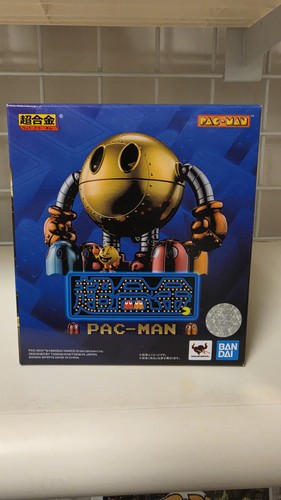 Bandai Tamashii Nations Soul of Chogokin Pac-Man sealed inAdView on eBay »
 Bioworld Pac-Man Adjustable Hat Cap w/ Blinky Pinky InkyAdView on eBay »
 Ms. Pac-Man Pacman Plush 5 Toy Stuffed Doll Ball YellowAdView on eBay »
 Pac-Man Poster 22.5 x 34AdView on eBay »
 Paladone PAC-MAN Blinky Ghost Light #002 Icons LED Lamp inAdView on eBay »For Pac-Man fansPac-Man Graphic T-Shirt Black Short Sleeves Super SoftView on eBay »For Pac-Man fansBandai Tamashii Nations Soul of Chogokin Pac-Man sealed inView on eBay »For Pac-Man fansBioworld Pac-Man Adjustable Hat Cap w/ Blinky Pinky InkyView on eBay »For Pac-Man fansMs. Pac-Man Pacman Plush 5 Toy Stuffed Doll Ball YellowView on eBay »
Your game is loading meanwhile
ControlsArrows moveCtrl/Alt fireEnter useEnter/Space start/selectEsc menuMS-DOS
←↑↓→Move
CtrlAltSpaceAction / fire
EnterConfirm / start
EscMenu / pause
Esc game menu · F2 save in game · F3 load in game
About the platform 1981–2000
For two decades MS-DOS was the main gaming platform on PCs. Games launched from the command line and used sound cards like Sound Blaster or AdLib. DOS is the home of legends such as Doom, Prince of Persia and Commander Keen.
Here on oldgame.cz you play it right in your browser via the js-dos emulator — no install, no plugins, on desktop and mobile.
Recommended controls
These games are controlled with the keyboard (see the controls table next to the game). A USB joystick/gamepad can make some titles more comfortable, but is not required.
Rdr▶NewRdrMS-DOS / PC ▶NewRichard Scarry's How Things Work in Busytown1994MS-DOS / PCReader Rabbit 1 (DOS)▶Reader Rabbit 1 (DOS)1991MS-DOS / PC
 ▶How Things Work in Busytown1994MS-DOS / PC
 ▶The Mutanoid Math Challenge1991MS-DOS / PC
 ▶Vegas Pro Video Poker1989MS-DOS / PC
 ▶Off to Europe / Auf dem weg nach Europa v4.3 (1993)1993MS-DOS / PC

 ▶The Asian Challenge1989MS-DOS / PCSeparila▶NewSeparilaMS-DOS / PCPC Bukvar▶NewPC Bukvar1995MS-DOS / PC
▶NewRichard Scarry's How Things Work in Busytown1994MS-DOS / PCReader Rabbit 1 (DOS)▶Reader Rabbit 1 (DOS)1991MS-DOS / PC▶How Things Work in Busytown1994MS-DOS / PC▶The Mutanoid Math Challenge1991MS-DOS / PC▶Vegas Pro Video Poker1989MS-DOS / PC▶Off to Europe / Auf dem weg nach Europa v4.3 (1993)1993MS-DOS / PC ▶The Asian Challenge1989MS-DOS / PCSeparila▶NewSeparilaMS-DOS / PCPC Bukvar▶NewPC Bukvar1995MS-DOS / PC