oldgame.cz — old & retro games online free
EN
95 Desktop

Bad Apple on the x86 DOS TEXT MODE (with Music)

– MS-DOS
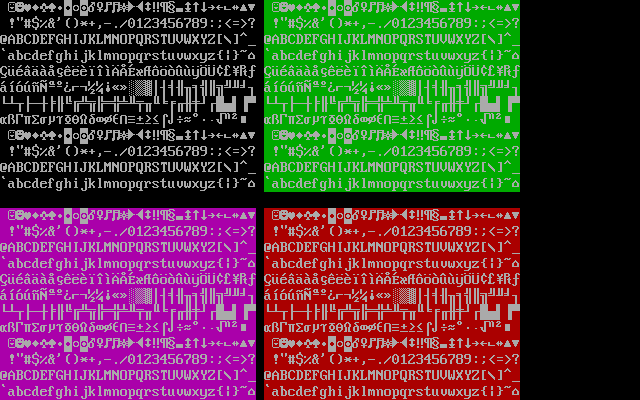
Bad Apple on the x86 DOS TEXT MODE (with Music)
ControlsArrows moveCtrl/Alt fireEnter useEnter/Space start/selectEsc menuMS-DOS

MS-DOS / PC

Game info_□✕

About Bad Apple on the x86 DOS TEXT MODE (with Music)

When the term "demo scene" was born in the eighties, nobody expected there would be a world of programmers playing artists and printing their ideas directly into bytes. Bad Apple is exactly that — and it's insane.

Bad Apple on the x86 DOS TEXT MODE (with Music) – screenshot 1

It's one of those things you can't even imagine until you see it. An animated sequence in pure DOS text mode with MIDI music — nothing more, nothing less. Not pictures, not graphics calculated in thousands of colors. Just characters and their combinations on a black background, changing so fast and precisely that something emerges that even the eye can understand. The quality matches an old fax or text terminal, and that's precisely where the genius twist lies.

Playing here isn't traditional. You start it, you watch and listen. The background is made of black characters on white or white characters on black — simple, but effective. The animation flows smoothly, the MIDI melody goes full force and the computer's text guts feel alive. It's like watching an old oscilloscope playing music. The technical complexity is breathtaking: each frame represents millions of calculations so the text appears exactly where it should.

Bad Apple on the x86 DOS TEXT MODE (with Music) – screenshot 2

Bad Apple as such isn't a game in the classic sense — it's proof that the boundaries between programming, music and visual art are much thinner than they appear. In the nineties it was a sight on the demo scene that stayed in memory. Today it looks like fun that was invented over beer: what if? Well, and it happened.

Bad Apple on the x86 DOS TEXT MODE (with Music) – screenshot 3

Today, primarily those who want to understand what limited hardware can do and what artists and programmers dared to do with DOS will come to play it. It's not fun in the traditional sense, but it's an elegant trick — and here on oldgame.cz it's worth running at least for the experience.

Bad Apple on the x86 DOS TEXT MODE (with Music) FAQ

Can I play Bad Apple on the x86 DOS TEXT MODE (with Music) online for free?
Yes — you can play Bad Apple on the x86 DOS TEXT MODE (with Music) right here in your browser for free, with no installation and no plugins, on both desktop and mobile.
Can I download Bad Apple on the x86 DOS TEXT MODE (with Music)?
Yes, Bad Apple on the x86 DOS TEXT MODE (with Music) is available to download here — use the Download button on this page.
What platform does Bad Apple on the x86 DOS TEXT MODE (with Music) run on?
Bad Apple on the x86 DOS TEXT MODE (with Music) is a MS-DOS / PC game.
How do I save my progress in Bad Apple on the x86 DOS TEXT MODE (with Music)?
Save inside the game itself — via its own menu, or F2/F3. And if you log in (free), your position is also stored in the cloud, so you can continue on another computer or phone.
Is it legal to play Bad Apple on the x86 DOS TEXT MODE (with Music) online here?
You play it in your browser via an emulator. For how we handle abandonware and copyright, see our "Is it legal?" page.
How do I control Bad Apple on the x86 DOS TEXT MODE (with Music)?
The controls are in the Controls section on this page. The keyboard is usually all you need — arrow keys to move and Ctrl, Alt or Space for actions.
Can I play Bad Apple on the x86 DOS TEXT MODE (with Music) on mobile?
Yes — it runs right in your browser on phones and tablets too. Just tap Play, nothing to install.

Comments on Bad Apple on the x86 DOS TEXT MODE (with Music)

(0)

No comments yet. Be the first!

Gaming platform – MS-DOS / PC_□✕
About the platform 1981–2000

For two decades MS-DOS was the main gaming platform on PCs. Games launched from the command line and used sound cards like Sound Blaster or AdLib. DOS is the home of legends such as Doom, Prince of Persia and Commander Keen.

Maker IBM PC / Microsoft  ·  Years 1981–2000

Here on oldgame.cz you play it right in your browser via the js-dos emulator — no install, no plugins, on desktop and mobile.

Recommended controls
These games are controlled with the keyboard (see the controls table next to the game). A USB joystick/gamepad can make some titles more comfortable, but is not required.

» More about this platform on Wikipedia

» Random
🚪 Classic site