oldgame.cz — 懐かしいレトロゲームを無料でオンラインプレイ
日本語
95 デスクトップ
_
ウィンドウ:
Life & Death
Arrows move · Ctrl/Alt fire · Enter use · Enter/Space start/select · Esc menu

Usual keys for Keyboard games (rough guide):

Escmenu / pause
1
2
3
4
5
6
7
8
9
0
Tab
Q
W
E
R
T
Y
U
I
O
P
Caps
A
S
D
F
G
H
J
K
L
Enterconfirm / start
Shift
Z
X
C
V
B
N
M
Ctrl
Alt
space
Alt
move
L
R
Left click — action / fire
Click the game to lock the cursor

Esc = in-game menu · save F2, load F3.

Emulator: DOSBox (js-dos)

ライブチャット — Life & Death_
ライブチャット このゲームについて今すぐチャット——マナーを守って

まだメッセージがありません。挨拶してみよう!

1988 · シミュレーション · Software Toolworks, Inc., The · MS-DOS / PC

ゲーム情報_
ゲームについて

このレビューはまだ翻訳されていません——原文(English)を表示しています。

You'll become a surgeon in the operating room, where every wrong click means the patient's death. Life & Death is a surgical simulator from 1988 that puts you face-to-face with real medical problems and puts a scalpel in your hands. No instructions, no safety net. Just you and a transparent patient on the monitor.

Life & Death – screenshot 1

The game places you in various surgical scenarios — from appendicitis to trauma from car accidents. You do what a surgeon should do: examine X-rays, decide on an approach, open up the patient, and then try to fix what's broken. Every step must be performed correctly and in the right order. Make a wrong incision? The patient bleeds out. Forget about sterility? Sepsis. Underestimate the severity? You might end up operating on something that isn't even damaged.

The controls are straightforward — keyboard and mouse input, simple menus. But the game won't hold your hand. If you don't know what to do, you just improvise and fumble through it. That's both the magic and the frustration of Life & Death. It's educational, but without the lecture. You gradually figure out how things work because you see the direct consequence of every move. A patient you save will return and thank you. A patient you kill simply drops dead.

Back in the eighties, this was an almost disproportionate game — medical software was commonly seen at universities, but here it got into every home PC. Even today, it's talked about as one of the boldest simulators of its time, because it wasn't designed just for entertainment, but at least with educational ambition. It's aged somewhat — the graphics are primitive and some surgical procedures are no longer quite up to date — but the educational concept has held up.
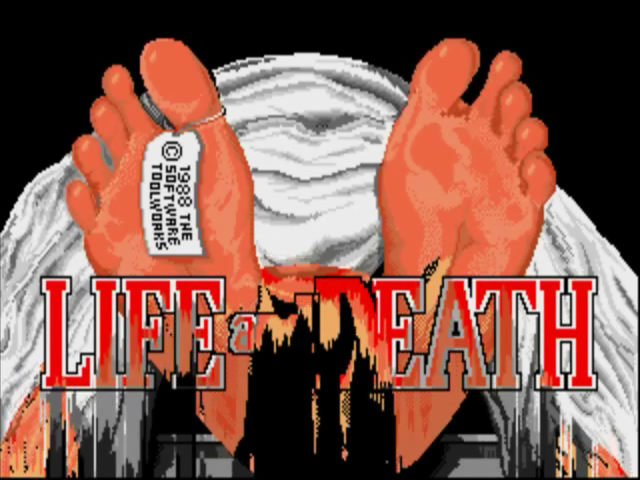
Life & Death – screenshot 2

Today you can play it in your browser as a curiosity or a test of your patience. It's not fun in the classical sense. It's more of a sobering lesson you take away from the operating room. If healthcare interests you or you love games that aren't afraid to let you fail, Life & Death is still worth checking out — but in short doses.

Video
Life & Death – gameplay video
ガイド&FAQ
Life & Death をオンラインで無料でプレイできますか?
はい、Life & Death はこのブラウザ上で無料で、インストールもプラグインも不要で、パソコンでもスマートフォンでもプレイできます。
Life & Death をダウンロードできますか?
はい、Life & Death はここからダウンロードできます。このページのダウンロードボタンをご利用ください。
Life & Death はどのプラットフォームで動作しますか?
Life & Death は 1988 年の MS-DOS / PC 用ゲームです。
Life & Death はいつ発売されましたか?
Life & Death は 1988 年に発売されました。
Life & Death は誰が制作しましたか?
Life & Death は Software Toolworks, Inc., The によって開発されました。
Life & Death のジャンルは何ですか?
Life & Death のジャンルは:Simulation です。
Life & Deathでセーブするには?
ゲーム内のメニューやF2/F3キーでセーブできます。(無料の)ログインをすると進行状況がクラウドにも保存され、別のPCやスマホで続きから遊べます。
ここでLife & Deathをオンラインでプレイするのは合法?
ブラウザ内のエミュレータでプレイします。アバンダンウェアと著作権の扱いについては「合法?」ページで説明しています。
Life & Deathの操作方法は?
操作方法はこのページの「操作」セクションにあります。基本はキーボードだけでOK——矢印キーで移動、Ctrl・Alt・スペースでアクション。
Life & Deathはスマホで遊べる?
はい——スマホやタブレットのブラウザでも動きます。「プレイ」をタップするだけ、インストール不要。
このゲームを評価

まだ評価がありません — 最初の一人に。

コメント (0)

まだコメントがありません。最初の1人になろう!

Gaming platform: MS-DOS / PC_
About the platform 1981–2000

For two decades MS-DOS was the main gaming platform on PCs. Games launched from the command line and used sound cards like Sound Blaster or AdLib. DOS is the home of legends such as Doom, Prince of Persia and Commander Keen.

Maker: IBM PC / Microsoft  ·  Years: 1981–2000

Here on oldgame.cz you play it right in your browser via the js-dos emulator — no install, no plugins, on desktop and mobile.

Recommended controls: These games are controlled with the keyboard (see the controls table next to the game). A USB joystick/gamepad can make some titles more comfortable, but is not required.

» More about this platform on Wikipedia

似ているゲーム_
シミュレーションゲームをもっと_
» ランダム