Year 1983, DOS barely existed as a gaming platform and most people at their computer were just writing letters. And yet someone at Gebelli Software created Mouser — something that would fit right into an arcade cabinet for a quarter.
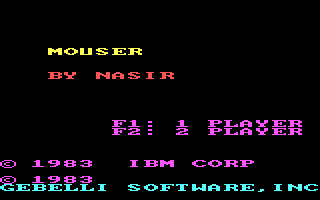
You play a farmer whose farm is swarming with mice. Nine rooms, each one looks like a maze, but it's not a maze in the classical sense. The walls rotate. You move them to corner the mice — or deliver them straight into the cat's arms. The cat is a tool, the mice are the goal, and you're the one manipulating the space between them.
The mechanics are elegantly simple: you move the walls, position the mouse, the cat does the rest. Sounds relaxing, but in the higher rooms the pace picks up and navigating a rotating floor plan stops being obvious. The keyboard controls match the era — no menus, no tutorials, you just learn it in two minutes or die trying five times. The game doesn't hold your hand, but it doesn't throw pointless obstacles at you either. The difficulty rises linearly and clearly, which was more valuable in 1983 than it seems today.
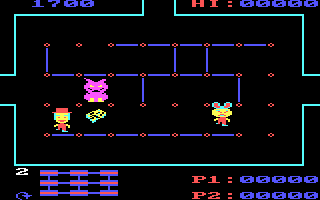
I remember Mouser as the kind of game where you'd stop for ten minutes and get up from the table an hour later. Back then we didn't care whether a game had a story or atmosphere — we cared whether it had "the thing". This one did. The concept of rotating walls felt fresh for its time, and even now, looking at it with a clear head, I'll admit the idea holds up. What hasn't aged quite as well is the visuals — but I say that about anything from 1983, so I don't even count it as a complaint. The sound is at the level of that era's PC beeping, which is exactly as rough as you'd expect.
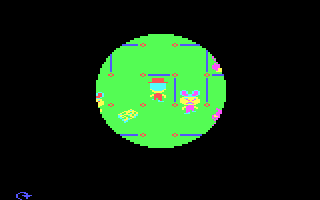
Today Mouser will appeal mainly to those who love simple puzzle-arcade games with clear logic and no unnecessary baggage. If modern games annoy you by explaining every other step, here you get the opposite. Nine rooms, a cat, mice, rotating walls. Fire it up in your browser, figure it out in a minute, and either it grabs you or you move on. No middle ground.
 old
old


 ▶Doom1993MS-DOS / PC


 ▶Contra1988MS-DOS / PC

 ▶Ultimate Mortal Kombat 31996Super Nintendo
