The Learning Company. That name alone tells you everything about where this is going, and yet here I am, writing about Reader Rabbit in the same place where I cover Blood and Doom. Fair enough. Some things deserve a straight look regardless of the target audience.

Reader Rabbit is a 1989 educational title for MS-DOS aimed at kids roughly four to seven years old. The goal is simple: help a cartoon rabbit work through exercises built around letter recognition, word building, and basic spelling. There is no story to speak of, no world to explore. It is a series of structured mini-games dressed up with enough color and animation to hold a child's attention for more than thirty seconds, which in 1989 on a PC was not a trivial achievement.
The gameplay — if you want to call it that — runs through activities like sorting words, matching letters, and completing simple spelling patterns. The rabbit serves as a guide and cheerful mascot rather than a character you actually control. Controls are basic keyboard input, which meant a lot of six-year-olds were hunting and pecking at keys under the supervision of a parent or older sibling. The difficulty scales in small steps, which was genuinely thoughtful design for the era. Nothing punishes the kid. Everything rewards forward movement. It is skinner-box mechanics with the serial numbers filed off and replaced with rabbit ears.
What Reader Rabbit actually was, for a lot of children in the early nineties, was the first piece of software they ever used. Not a game. Software. There is a difference, and at the time parents understood it. You did not buy this at the game shop; you bought it at an electronics store from a shelf labeled "Educational" in a font that screamed responsible purchase. Whether it taught kids to read faster than a book would have is a question I am not qualified to answer. What it did was make the computer feel approachable to a five-year-old, which in 1989 mattered more than people remember. The PC was still a cold, intimidating machine. Reader Rabbit made it friendly. That is not nothing.
Today the game is a curiosity. If you have a child young enough to genuinely benefit from letter-matching exercises, there are better tools — free, browser-based, more polished. If you are over forty and want to remember what it felt like to sit at a beige keyboard and feel clever for the first time, this one runs fine in a browser emulator and takes about ten minutes to exhaust completely. There is a specific kind of nostalgia here that does not belong to everyone. But for the people it does belong to, it lands exactly as expected — small, earnest, and oddly intact after thirty-five years.
 old
old


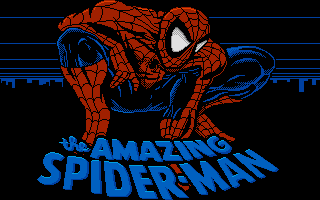 ▶Amazing Spider-Man1989MS-DOS / PC