oldgame.cz — old & retro games online free
FR
Bureau 95
oldgame.czSport

Double Tennis

_
Fenêtre :
Double Tennis
Arrows move · Z X A S buttons · Enter Start · Shift Select · or plug in a gamepad
L · QR · E
Select · ShiftStart · Enter
SAXZ

Arrows = move (D-pad) · Z X A S = action buttons · Enter = Start · Shift = Select · Q/E = L/R. You can also plug in a real gamepad — the emulator menu lets you remap everything.

  • Open the player menu to save/load state, remap keys or plug in a gamepad.
  • Go fullscreen for the best experience.

Emulator: EmulatorJS

Chat en direct — Double Tennis_
chat en direct discutez de ce jeu en direct — restez courtois

Pas encore de messages. Dites bonjour !

1990 · Sport · VM Soft · ZX Spectrum

Infos sur le jeu_
À propos du jeu

Ce test n’est pas encore traduit — nous affichons la version originale (English).

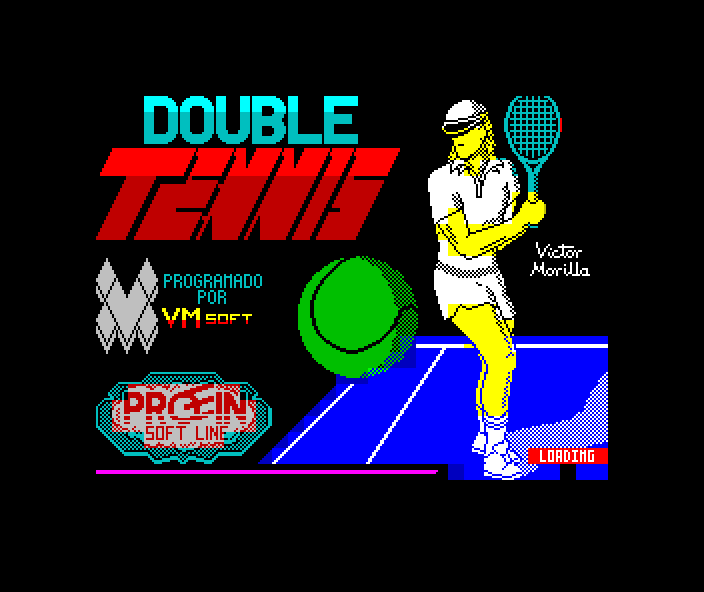
Double Tennis is a tennis game for the ZX Spectrum from 1990, credited to a developer signing as VM Soft. The name itself hints at the focus on doubles — a variant of tennis that appeared in sports games of the period far less often than the classic one-on-one match.

Double Tennis – screenshot 1

1990 was a late but still lively phase for the ZX Spectrum. The 8-bit computer was already facing the rise of 16-bit machines, yet new titles kept appearing — often from small teams, and in regions where the Spectrum remained the affordable family computer for the longest time. Double Tennis comes from exactly this world of small software labels.

Tennis had been a grateful subject for the Spectrum since the mid-eighties: the court fits on a single screen, everyone knows the rules, and success depends on the tuning of shots and movement rather than graphical spectacle. On a machine with attribute-based graphics and simple sound, that made it possible to build a sport that stood or fell purely on playability.

Double Tennis – screenshot 2

Little is known about VM Soft, which is typical for the Spectrum's late era — catalogues from those years are full of games that survive as barely more than a name and a file. That makes it all the more valuable that this one survived in runnable form.

Double Tennis – screenshot 3

You can check that yourself: on OldGame.cz, Double Tennis fires up right in the browser window, so you will be serving before you could even track down a cassette recorder.

Guides & FAQ
Puis-je jouer à Double Tennis en ligne gratuitement ?
Oui — vous pouvez jouer à Double Tennis directement dans votre navigateur, gratuitement, sans installation ni plugins, aussi bien sur ordinateur que sur mobile.
Puis-je télécharger Double Tennis ?
Oui, Double Tennis est disponible au téléchargement ici — utilisez le bouton Télécharger sur cette page.
Sur quelle plateforme fonctionne Double Tennis ?
Double Tennis est un jeu ZX Spectrum de 1990.
Quand Double Tennis est-il sorti ?
Double Tennis est sorti en 1990.
Qui a créé Double Tennis ?
Double Tennis a été développé par VM Soft.
Quel est le genre de Double Tennis ?
Double Tennis relève du genre : Sports.
Est-il légal de jouer à Double Tennis en ligne ici ?
Vous jouez via un émulateur directement dans le navigateur. Notre approche de l'abandonware et du droit d'auteur est expliquée sur la page « Est-ce légal ? ».
Comment contrôler Double Tennis ?
Les commandes sont dans la section Commandes de cette page. Le clavier suffit généralement — flèches pour bouger et Ctrl, Alt ou espace pour les actions.
Puis-je jouer à Double Tennis sur mobile ?
Oui — ça tourne dans le navigateur aussi sur téléphone et tablette. Touchez Jouer, rien à installer.
Notez le jeu

Pas encore de notes — soyez le premier.

Commentaires (0)

Pas encore de commentaires. Soyez le premier !

Gaming platform: ZX Spectrum_
About the platform 1982–1992

Sinclair's ZX Spectrum was a cheap British 8-bit computer that brought gaming into millions of homes. It is known for its distinctive colour-clash graphics and a huge games library.

Maker: Sinclair  ·  Years: 1982–1992

Here on oldgame.cz you play it right in your browser via the EmulatorJS emulator — no install, no plugins, on desktop and mobile.

Recommended controls: These games are controlled with the keyboard (see the controls table next to the game). A USB joystick/gamepad can make some titles more comfortable, but is not required.

» More about this platform on Wikipedia

Jeux similaires_
Plus de jeux Sport_
» Random